
Phantom power can feel like a small issue because it rarely shows up as an obvious, single culprit. Instead, it is distributed across many devices, quietly drawing power whenever they remain plugged in. Over time, that background draw becomes a consistent source of waste, especially in households with multiple entertainment setups, home offices, or always-connected chargers.
At the same time, many people hesitate to unplug devices because it is inconvenient and, in some cases, disruptive. A TV may take longer to boot, a streaming device might lose updates, or a printer may reinitialize. As a result, the easiest habit is often to leave everything plugged in, even when it is not needed.
Smart plugs sit in the middle of these realities. They can cut power when it makes sense and preserve power when it does not. More importantly, they allow you to move from guesswork to intentional control. If you keep reading, you’ll learn how to choose the right type of smart plug, where it makes the biggest difference, and how to configure automations that reduce phantom power without creating new problems.
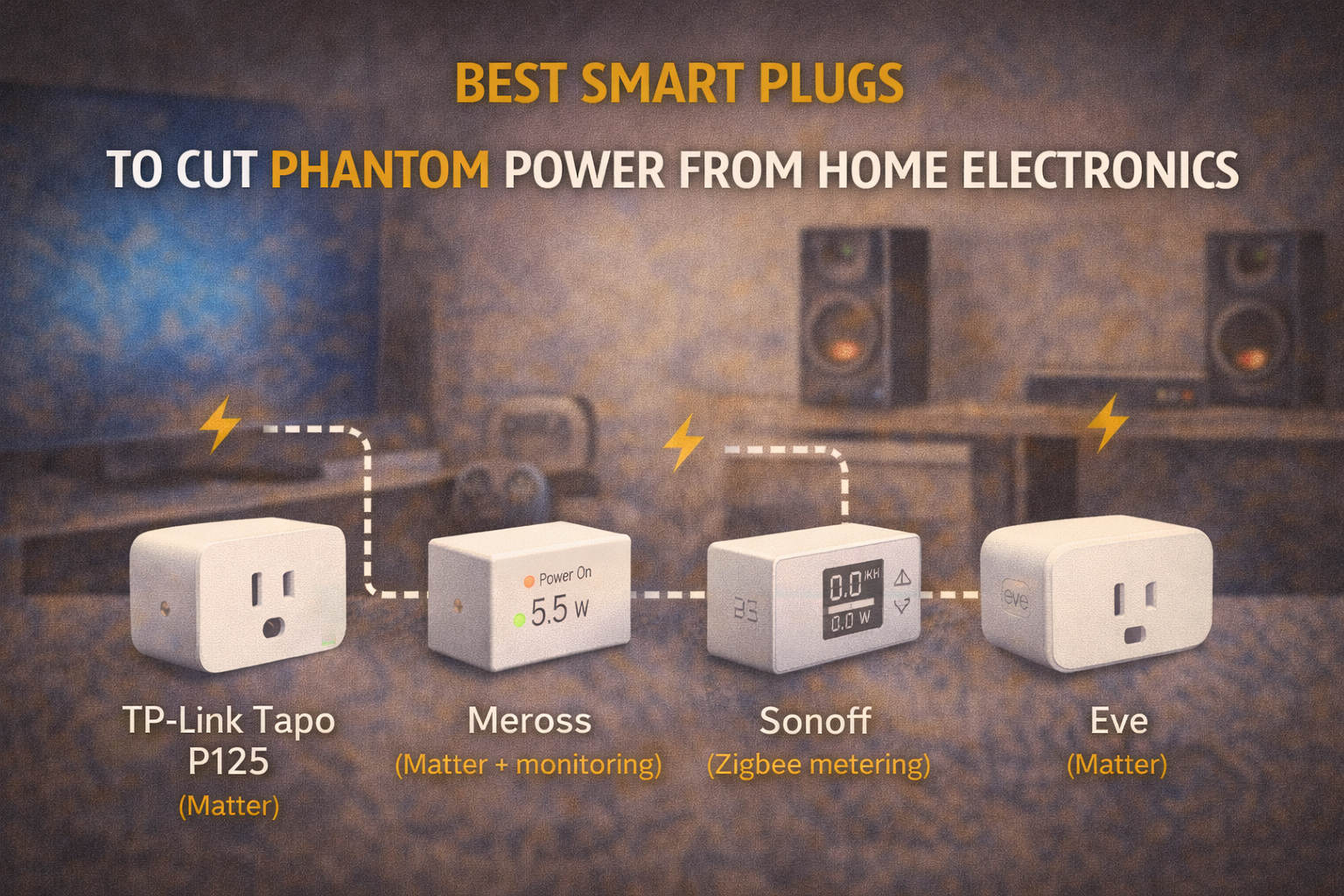
Best Smart Plugs to Cut Phantom Power From Home Electronics
Understanding Phantom Power and Why It Matters
Before choosing a smart plug, it helps to understand what you are trying to solve. Phantom power is the energy used when a device appears “off” but still draws electricity to maintain a standby state. That state might support features like instant-on responsiveness, background updates, network connectivity, memory retention, or simply keeping a power supply energized.
What makes phantom power so persistent is that it is a default behavior, not a user action. If a device is plugged in, it can draw standby power. Consequently, a household can be careful about turning things off and still lose energy continuously because “off” is not the same as “disconnected.”
This is also why phantom power is a strong candidate for automation. Since the waste is repetitive and predictable, it responds well to predictable interventions. Smart plugs, therefore, are less about novelty and more about consistency, because consistent prevention is where the savings come from.
What Counts as Phantom Power vs Normal Standby
Although “phantom power” is a common term, it is helpful to separate harmless standby from genuinely wasteful standby. Some devices draw a tiny standby load that is not worth managing aggressively. Others draw enough power that control makes sense, especially when multiplied across several items.
For example, entertainment systems often include multiple components that each draw standby power. A TV might keep an internal network module awake, a console may remain update-ready, and an audio receiver may keep its circuitry energized for fast response. Taken individually, each draw can look minor. However, taken together, the “stack” can become meaningful.
In contrast, certain devices use standby as a functional requirement. Network equipment, smart hubs, and some security systems rely on always-on connectivity. Cutting power there can break the very systems that support your automation, which is why a strategic approach matters.
When Cutting Power Is Safe and When It Isn’t
A smart plug is essentially a controllable disconnect. That is powerful, yet it also means you should apply it where disconnecting is safe.
In general, cutting power is safe for many consumer electronics when you are not using them, especially if you do not need them to update overnight. TVs, soundbars, older streaming boxes, chargers, lamps, and many desk accessories are common candidates. However, even here, you should think about what you expect the device to do while you are away. If you rely on a device to record shows, update software, or stay reachable on the network, cutting power may be inconvenient.
Meanwhile, there are categories where using a smart plug is often a poor fit. Refrigerators, freezers, medical equipment, and devices that must remain on for safety or reliability should not be placed on automation cutoffs. Similarly, high-power space heaters or devices with heating elements require extra care because of load and safety considerations.
This is why the “best smart plug” is not a single product. Instead, it is the product that matches the load type, the automation goal, and the reliability you need.
What “Best” Really Means for Smart Plugs
When people search for the best smart plug, they often mean one of three things. They either want the simplest reliable plug for schedule-based shutoff, or they want energy monitoring to identify which devices are wasting power, or they want ecosystem compatibility that won’t box them in later.
If your goal is purely to cut phantom power, a reliable on/off plug with good scheduling is often enough. However, if you want to optimize rather than guess, energy monitoring becomes valuable because it shows you which devices are worth automating and which are not.
Additionally, if you plan to expand your smart home, “best” also includes communication protocol and ecosystem support. Matter and Thread, for example, can reduce vendor lock-in when supported properly, while Zigbee can be exceptionally reliable when paired with a solid hub and mesh.
Therefore, the smartest way to approach “best” is to decide which category you are actually buying for, then choose accordingly.
Connectivity Choices: Wi-Fi vs Zigbee vs Thread and Matter
Connectivity shapes reliability and future flexibility. Wi-Fi smart plugs are popular because they work without a dedicated hub. You typically connect the plug to a 2.4 GHz network, link it to an app, and then integrate it with your voice assistant or automation platform. This simplicity is appealing, especially for beginners. At the same time, Wi-Fi devices increase the number of clients on your network, which can matter if you scale up to many plugs.
Zigbee smart plugs, on the other hand, require a hub, yet they often offer strong reliability because Zigbee devices can form a mesh network. In practical terms, that means a good Zigbee setup can become more stable as you add devices, because powered Zigbee devices can strengthen the mesh. This is particularly useful for multi-room phantom power control, where you may end up with several plugs across the home.
Thread is another path. It is designed for low-power, low-latency mesh networking, and it is commonly discussed alongside Matter because Matter can use Thread as a transport. However, Thread typically requires a border router, such as certain smart speakers or hubs, to connect the Thread network to your home network.
Matter, meanwhile, is best understood as a compatibility layer rather than a single network type. A Matter smart plug may use Wi-Fi or Thread underneath. The advantage is that Matter aims to improve interoperability across major ecosystems, which can make it easier to change platforms later without replacing everything.
From a phantom power perspective, all of these can work. The best choice depends on how many devices you plan to manage and how much you care about ecosystem flexibility.
Energy Monitoring vs Simple On/Off
Energy monitoring changes your strategy because it turns phantom power from a concept into a measurable pattern. A plug with energy monitoring can show you real-time watts, historical usage, and sometimes estimated cost. Even if you do not focus on cost, the watt measurement alone is powerful, because it reveals which devices are quietly drawing far more than you expected.
For example, you might assume a sound system uses almost nothing in standby, only to discover it draws a noticeable amount continuously. Conversely, you might worry about a small charger that barely registers. Once you have the numbers, you can prioritize interventions that matter.
That said, energy monitoring is not required for every plug. Many households do well with a hybrid approach. You use a few monitoring plugs as “auditors” to identify high-standby devices. Then, you deploy simpler plugs for routine cutoffs where measurement is less important.
This approach keeps your setup focused. It also prevents you from overpaying for features you do not actually need in every location.
A Practical “Best Smart Plug” Shortlist by Use Case
If you want Matter-compatible flexibility with a mainstream brand, the TP-Link Tapo P125 (Matter) is positioned for straightforward setup and broad ecosystem integration. If you want energy monitoring in a slim form factor within the TP-Link family, Kasa models such as the KP115 are commonly positioned around energy monitoring use cases.
If your priority is energy monitoring with Matter positioning, Meross offers Matter smart plug options with energy monitoring, which can be attractive if you want cross-platform compatibility while still tracking consumption. If you run a Zigbee-based smart home and want metering within that hub-driven reliability model, Sonoff’s Zigbee metering smart plug is a representative option.
If you are in the Apple ecosystem and care about a polished experience with energy tracking, Eve Energy is often chosen for Apple-oriented setups and Matter support. If you want a plug historically known for power insight features, the Wemo Insight line is a recognizable pick in that category. If you want a Matter-friendly plug from a company known for control and measurement devices, Shelly’s Plug S Gen3 is positioned as a modern option.
Finally, some plugs emphasize simple automation rather than monitoring. The Amazon Smart Plug is commonly selected for basic Alexa-centric routines even if your core goal is schedule-based cutoff rather than measurement. Wyze Plug devices, similarly, are often selected as budget-friendly automation endpoints.
The important point is that “best” depends on the role the plug plays. If you buy only one type, you may either overspend or underperform. If you mix types based on function, you often get the best overall result.
Automation That Actually Reduces Waste
Once you have the right plugs, automation design becomes the real differentiator. If a plug simply turns off at a random time, you may cut phantom power but create daily inconvenience, which usually leads people to disable the routine. Instead, the best automations reduce waste while feeling natural.
A strong starting point is time-based automation aligned with predictable inactivity. For example, if an entertainment system is never used overnight, a routine that powers it down at a consistent late-night time can remove hours of standby draw. Then, a morning routine can restore power before typical usage. This approach works because it respects patterns, and patterns are what automation does best.
However, schedules are only the first layer. Once you gain confidence, you can build state-aware logic. A plug can turn off when you leave home, or when your home enters “Away” mode, and then turn on again when you return. This is particularly useful for office gear that is not needed during work commutes. It also keeps devices available when you are home, which protects convenience.
Additionally, energy monitoring plugs allow a more advanced approach. You can define logic around device draw. For instance, if a device’s wattage drops below a threshold for a certain period, the plug can cut power completely. This is useful for devices that enter a low-power state after shutdown but still draw a persistent standby load. By waiting until the device is truly idle, you avoid cutting power mid-use.
The result is automation that feels intelligent because it is based on behavior, not just time.
Room-by-Room Use Cases That Usually Work Well
In living rooms, the most common phantom power cluster is the “stack”: TV, streaming device, console, sound system, and sometimes a powered subwoofer. A single smart plug may not be sufficient if components are on different outlets, yet a smart power strip or multiple plugs can address the cluster. The key is to avoid cutting power to devices that must remain online for updates if that matters to you. In practice, many people accept updates occurring while devices are on, because convenience matters more than constant background updating.
In home offices, standby draw often comes from printers, speakers, monitor power bricks, docking stations, and chargers. Since office usage often follows a daily rhythm, schedules usually work well. Furthermore, if you work from home, you can still build routines around night hours or weekend patterns.
In bedrooms, phantom power is frequently tied to chargers and small electronics. Here, the best practice is often conservative. Instead of aggressively cycling power, you can set plugs to turn off during daytime when chargers would otherwise remain warm and drawing power. Then, you allow power during the hours you actually charge devices.
In kitchens, smart plugs can help manage appliances that are safe to disconnect and not required to run continuously. However, this is also where you need to be careful. Many kitchen appliances should not be placed on automation cutoffs, so a more limited, intentional use is recommended.
Safety, Load Ratings, and Heat Management
Because smart plugs handle mains power, safety cannot be an afterthought. You should always respect the plug’s amperage and wattage rating and match it to the device load. High-draw devices can overheat a plug if the plug is not designed for that load. This is particularly relevant for devices that produce heat, such as heaters or high-watt appliances.
Additionally, physical spacing matters. Some plugs are bulky and can block adjacent outlets. While this is an annoyance, it can also lead to awkward stacking or adapters, which is not ideal. Choosing slim plugs for power strips or dense outlet areas can reduce this issue.
Heat is also a practical signal. If a plug feels unusually warm, that is a cue to reassess the load and ensure the setup is safe and appropriate.
Setup, Reliability, and Troubleshooting
Reliability is central to energy savings because automation only saves energy when it actually runs. If a plug disconnects or fails to respond, you lose consistency.
Wi-Fi plugs depend on good network coverage and stable 2.4 GHz connectivity. If your Wi-Fi is crowded or weak in certain rooms, you may see delays or dropouts. In that case, Zigbee or Thread-based approaches can be more stable, provided your hub or border router setup is solid.
It also helps to keep your automations simple at first. When you start with one or two routines, you can verify behavior. Then, as you scale, you can standardize naming, group devices logically, and avoid overly complex conditional chains that are hard to debug.
Over time, a stable setup becomes “invisible,” which is exactly what you want. It should save energy quietly without demanding attention.
How to Measure Results and Iterate
The most convincing way to validate progress is to measure before and after. Energy monitoring plugs make this straightforward. You can measure standby draw for a week, then apply automation, then compare.
If you do not have monitoring, you can still evaluate indirectly. For example, you can note how often devices are powered unnecessarily, then track behavior after automation. While this is less precise, it still reveals whether routines are consistent and convenient.
Additionally, it helps to prioritize. If you discover that one device draws very little in standby, you might decide it is not worth automating. Meanwhile, if another device draws significantly more, it becomes a high-value target.
This iterative approach aligns with how energy efficiency works in practice. You do not need to perfect everything at once. Instead, you aim for steady, compounding improvements.
Conclusion
Smart plugs can be one of the most practical tools for reducing phantom power because they replace inconsistent human habits with consistent automation. However, the most effective approach is not to buy a random “top-rated” plug and hope for the best. Instead, it is to choose plugs based on role. Energy monitoring plugs help you identify waste and validate savings, while simple on/off plugs deliver reliable cutoffs where measurement is less important. Meanwhile, connectivity choices such as Wi-Fi, Zigbee, and Matter-enabled devices shape reliability and ecosystem flexibility.
When you combine the right hardware with automations that respect real routines, phantom power becomes manageable. Over time, you build a home that uses energy more intentionally, not because you constantly think about electricity, but because the system quietly supports better defaults.
FAQs
1. Are smart plugs worth it if phantom power is “small”?
They can be, because the value comes from consistency across multiple devices and long time periods, especially when you focus on the highest-standby electronics.
2. Do I need energy monitoring to cut phantom power?
No, but monitoring helps you prioritize. It tells you which devices are worth controlling and helps you verify results.
3. Should I cut power to streaming boxes and game consoles at night?
Often yes, if you do not rely on overnight updates. However, if updates and network availability matter to you, consider a shorter cutoff window or a softer strategy.
4. Is Wi-Fi or Zigbee better for smart plugs?
Wi-Fi is simpler to start, while Zigbee can be more reliable at scale with a strong hub and mesh. Thread/Matter can be attractive for interoperability if your ecosystem supports it well.
5. What’s the safest way to start?
Begin with low-risk loads like lamps, chargers, and entertainment accessories. Then, as you learn what works in your home, expand carefully and avoid high-risk categories like critical appliances or medical equipment.

Daniel Harper is a graduate engineer with a postgraduate specialization in Intelligent Solutions and Industry 4.0 technologies. He leads the Mogarzi Team, focusing on smart home automation, residential energy efficiency, and intelligent energy management systems. His work combines engineering principles with practical home optimization strategies, translating complex technical concepts into actionable insights for homeowners seeking smarter and more efficient living environments.